

How to overcome adsense ad restrictions can be done quickly and easily.
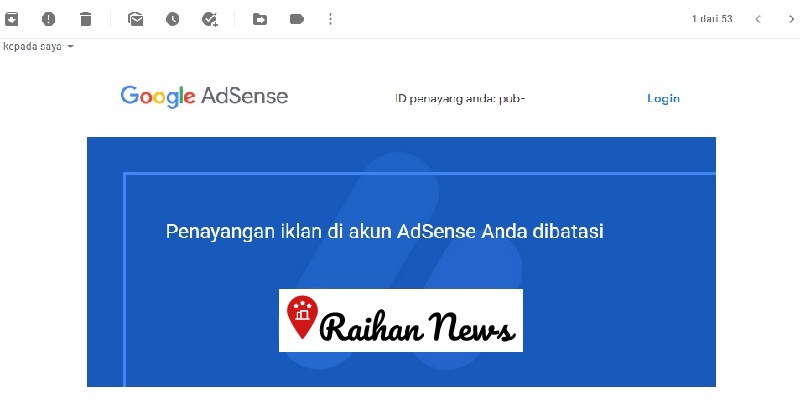
Based on the incoming email, one of the causes of ad serving being restricted is the problem of invalid traffic.
After experiencing our own Google Adsense account being affected by the problem of ad serving restrictions, on this occasion we will convey the latest way to overcome adsense ad restrictions correctly and safely.
When the adsense account was affected by ad limits, we had time to look for solutions to overcome it on YouTube and browsing on the Google Search Engine but the results were nil. There are many video tutorials on how to overcome restricted ad accounts, but the content is only opinions that are uploaded or luck. So there is no valid solution to overcome restrictions on adsense ad serving.
We have done various ways, and finally our account is free from the problem of restricted ad serving.
As the saying goes, experience is the best teacher. So we are not enough to just look for tutorials on how to overcome restricted adsense ads. But we have to practice and experiment ourselves to overcome the adsense ad restrictions.
Table of Contents
Reasons for Adsense Ad Restrictions
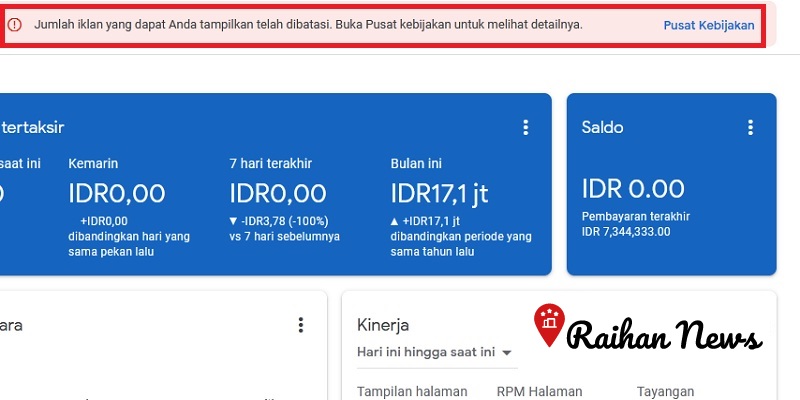
At first we were very confused and a little disappointed with this sanction from Google. Because for no clear reason our account was punished by having adsense ads restricted. However, after understanding the policies on Google Adsense, we finally understood how to overcome the restrictions on adsense ads.
Many opinions from bloggers say that adsense ads are restricted because blog visitors or traffic are still few. They assume that with low visitors, the ad impressions that appear are mostly due to opening their own web links so that the ecosystem of advertisers is disrupted.
Whether or not the arguments of these bloggers are true, low visitors are indeed one of the factors causing your Google Adsense ads to be restricted.
The reason for the restrictions on adsense ads is usually because of invalid traffic. This means that Google will always monitor or monitor the quality of visitors and the content of your website.
If you violate or do not comply with these policies, Google will not hesitate to deactivate your Adsense account. Therefore, create posts with quality content so that it generates a lot of organic traffic to your website without violating Google’s policies. In this way, in addition to attracting many visitors which of course can increase your income, it also keeps your AdSense account safe and not banned by Google.
How Long is the Adsense Ad Restriction?
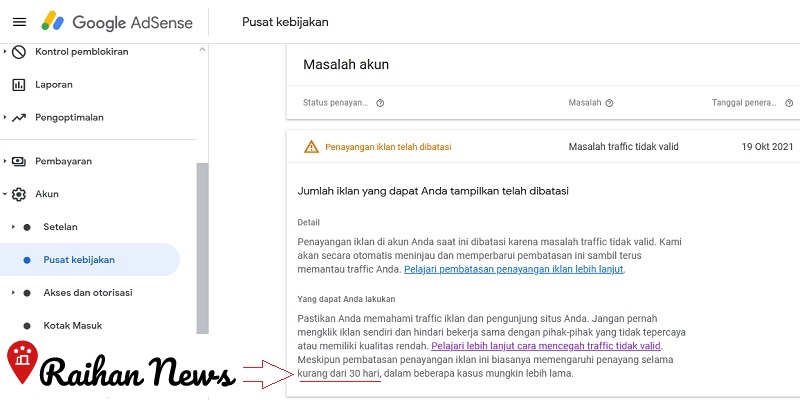
If the number of ads you can display has been limited, then go to the policy center to see the details.
Well, in the policy center we can see that the ad serving restriction is usually for less than 30 days, but in some cases it may be longer.
While subject to ad restrictions, your AdSense account is still fully accessible, but you should be proactive and ensure that your ad traffic does not violate the AdSense Program policies.
How to Overcome Adsense Ad Restrictions
If adsense ads are limited so that adsense ads do not appear on the website, then overcome it with the steps below.
1. Link AdSense Account with Google Analytics
By linking an adsense account with Google Analytics, it will accurately tell Google where your website visitors come from.
This is to avoid mistakes in assessing your website visitors. If your blog visitors are truly organic from Google searches, then in a short time Google will remove the restrictions on displaying these ads.
2. Block Bad Traffic Sources
If you suspect bad traffic, stop showing ads to that traffic as soon as possible. This aims to detect and avoid invalid traffic.
For those of you who use ad servers such as Google Ad Manager, adjust the traffic on your blog carefully and thoroughly. If you use “tags on the page”, combine the tags in various additional servers that are truly appropriate. This way, ads will not appear to the audience group you suspect.
If your page gets irrelevant visitors, then you should block the traffic, either using a firewall or by adding access rules to the htaccess file.
3. Install One Ad Unit
The next way to overcome Adsense ads being limited is to install one ad unit on your website. This can be an automatic ad or a responsive ad.
When the Adsense ad restriction ends, you can install several ad units according to your needs.
4. Be Careful Buying Paid Traffic
To get quality visitors, there is nothing wrong with buying traffic. However, you must ensure that the visitors are truly human and not robots and from a trusted traffic source.
In fact, visitors visiting your blog must also be with sincere intentions. Therefore, even if you use top-level paid traffic such as Google Ads or Facebook Ads, organic traffic must still be more than visitors coming from paid traffic sources.
5. Pay Attention to Ad Distance
The main cause of invalid traffic so that AdSense ads are limited is due to accidental ad clicks. This can happen if the distance between the ad unit is too close to active elements such as navigation buttons and other active buttons.
Accidental clicks due to poor ad spacing often occur in mobile users. This makes sense, because the accuracy of the finger when pressing active elements on mobile is not as precise as the mouse cursor on a PC or laptop.
6. Don’t Immediately Place Excessive Ads When the Restriction Ends
After you apply the method to overcome the restricted adsense ads above, then on the Google Adsense dashboard the ad restriction notification has disappeared, then don’t immediately place too many ad units. Wait for about 10 days to add some ad units.
7. Avoid Checking Whether Ads Have Been Shown or Not With the Same IP Repeatedly
If you look at your blog page too often to find out whether Adsense ads have appeared or not with the same IP, it will cause invalid traffic which can result in Adsense ads being restricted.
That was our explanation about the latest way to overcome adsense ads being limited quickly and easily. Don’t forget to pray because whatever our efforts, God determines.
