
Introduction
Table of Contents
There is an AI that can turn text into a 15-second video. There is also one that generates high-quality images without costing you a cent. However, this year the options for content creators are more varied and more affordable than ever.
The problem is, most people are still stuck using the same tools they did two years ago. Meanwhile, the landscape has changed completely.
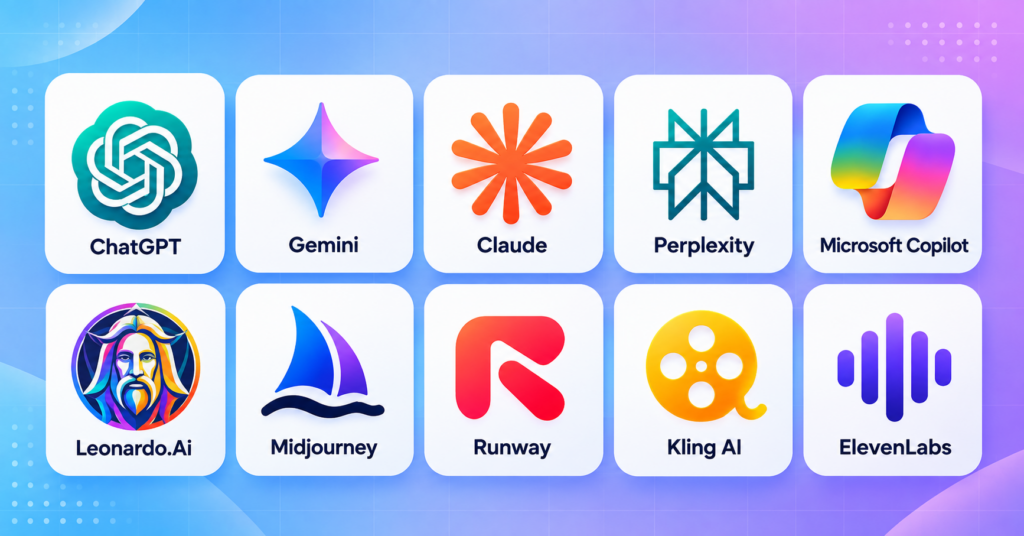
For that reason, here are 10 of the best AI tools this year for creators and productivity. I have ranked them from the most established to the most underrated. In addition, each tool is covered with its strengths and weaknesses, so you can pick what fits your needs.
1. ChatGPT Is Still the Most Versatile
For starters, ChatGPT remains the most popular AI assistant in the world, with over 1.1 billion monthly users. The latest GPT-6 Astra model offers strong reasoning, a Deep Research feature that produces full reports with citations, and a natural voice mode.
What makes it interesting is that ChatGPT can be accessed for free before you even create an account. Just open chatgpt.com and start typing your prompt.
Key Features: Deep Research, voice mode, image analysis, free image generation, custom GPTs, and collaborative projects.
Pros: Most versatile in its class, largest ecosystem, high reasoning quality, free access without an account, and integration across many platforms.
Cons: No native video generation, Pro pricing is quite steep, and occasional downtime during peak traffic.
Link and Check Subscription Plans: chatgpt.com
2. Gemini Delivers the Strongest Multimodal Experience
Meanwhile, Gemini is ChatGPT’s toughest competitor. With a 27.7 percent market share and 662 million monthly users, Gemini has grown rapidly thanks to its integration with the Google ecosystem. Its multimodal capability stands out, generating images through Nano Banana and video through Veo 3.
Key Features: Integration with Gmail, Docs, Drive, Calendar, Maps, YouTube, and Photos. Context up to 1 million tokens. Google Flow for film production.
Pros: Most complete multimodal features, native integration with the Google ecosystem, 1 million token context, and video generation capability.
Cons: The Ultra plan is quite expensive, not all features are available in every country, and the interface can be confusing for new users.
Link and Check Subscription Plans: gemini.google.com
3. Claude Offers the Deepest Reasoning
On the other hand, Claude from Anthropic holds the third position with a 10.3 percent market share and around 245 million users. Claude excels at deep reasoning, long document analysis, and programming tasks.
Key Features: Long document analysis, Claude Code, Claude Design, Claude Science, Chrome and Microsoft 365 integration, and conversation memory.
Pros: Deepest reasoning in its class, most natural writing output, favored by writers and developers, and offers an annual discount.
Cons: Cannot generate video, smaller user base than ChatGPT and Gemini, and limited free features.
Link and Check Subscription Plans: claude.ai
4. Perplexity Provides Ad-Free AI Search
Interestingly, Perplexity is not just a chatbot. It is an AI-powered search engine that delivers direct answers with citations. Its search results are clean, with no ads or sponsored links at the top.
Key Features: AI search with citations, access to multiple AI models, unlimited file uploads, AI image generation, and Custom Spaces.
Pros: Answers always come with sources, clean ad-free display, access to multiple AI models at once, and great for quick research.
Cons: Not suitable for heavy creative tasks, limited free features, and not ideal for complex coding.
Link and Check Subscription Plans: perplexity.ai
5. Microsoft Copilot Excels at Enterprise Productivity
In contrast, Copilot integrates directly into Microsoft 365, from Word, Excel, PowerPoint, to Outlook. It is ideal for companies already using the Microsoft ecosystem, with enterprise-grade data security.
Key Features: Integration with Word, Excel, PowerPoint, Outlook, Teams, and Edge. GPT-5.4 and o3 models. Data is not used for model training.
Pros: Best integration for Microsoft 365 users, enterprise data security, and ideal for corporate teams.
Cons: Less useful if you do not use the Microsoft ecosystem, per-user pricing is quite high, and free features are very limited.
Link and Check Subscription Plans: copilot.cloud.microsoft
6. Leonardo.Ai Provides Free Commercial Images
What is more, Leonardo.Ai offers high-quality image generation with a generous free tier. The platform has been used by over 18 million creators for character design, game assets, concept art, and product photography.
Key Features: 150 free tokens per day, 30 to 70 images, commercial use allowed, and a variety of models and styles.
Pros: Most generous free tier, commercial use allowed, various models and styles, and great for game assets.
Cons: Free tier images are public, quality is still below Midjourney, and the interface is quite dense for beginners.
Link and Check Subscription Plans: leonardo.ai
7. Midjourney Delivers the Best Artistic Quality
Still, Midjourney remains the benchmark for AI image generation quality. Its output is often considered the most artistic and aesthetic compared to competitors. The team behind it is small, around 60 people, but focuses entirely on quality.
Key Features: Best artistic quality, various styles and parameters, and access via Discord or web.
Pros: Best image quality in its class, most aesthetic results, and ideal for professional artistic work.
Cons: No free tier, Discord access is confusing for beginners, and no video features.
Link and Check Subscription Plans: midjourney.com
8. Runway Generates AI Video Without Watermark
Additionally, Runway is one of the most mature AI video generation tools available today. What sets it apart is that its free tier allows watermark-free exports, which is rare. Mobile apps are available for iOS and Android.
Key Features: Watermark-free exports on the free tier, AI video generation, video editing, and access via browser or mobile.
Pros: Watermark-free free tier, most mature video tool, mobile apps available, and ideal for filmmakers.
Cons: Paid plans are quite expensive, requires high-spec hardware, and the learning curve is fairly steep.
Link and Check Subscription Plans: runwayml.com
9. Kling AI Offers Affordable Video with Native Audio
Furthermore, Kling AI from Kuaishou offers high-quality video generation at an affordable price. Its free tier provides 66 daily credits. Kling supports clips up to 15 seconds with native audio.
If you are just starting with AI video, begin here. It is the most budget-friendly option in its class.
Key Features: 66 free credits per day, clips up to 15 seconds with native audio, and various video styles.
Pros: Cheapest in the AI video class, generous free tier, native audio, and ideal for social media content.
Cons: Clip duration limited to 15 seconds, quality still below Runway, and access from some regions can be slow.
Link and Check Subscription Plans: kling.ai
10. ElevenLabs Produces Natural AI Voice
Finally, ElevenLabs is the industry standard for text-to-speech and voice cloning. Its voice quality is extremely natural, supports multiple languages, and can mimic intonation and speaking style.
Key Features: Natural text-to-speech, multi-language voice cloning, and professional audio quality.
Pros: Most natural voice quality, multi-language support, accurate voice cloning, and pricing starts at $5 per month.
Cons: Limited free quota, voice cloning requires sufficient voice samples, and no video features.
Link and Check Subscription Plans: elevenlabs.io
Conclusion
The ten AI tools above are more than enough for content creators and productivity workers. ChatGPT and Gemini serve as the main foundation. Meanwhile, Claude is for those who need deep reasoning. In addition, Leonardo.Ai, Midjourney, Runway, Kling, and ElevenLabs cover your visual and audio needs.
Each has its strengths and weaknesses. No single tool is perfect for every need. What matters most is choosing according to your work, starting with the free tier, and upgrading only when you truly hit the limit.
If your budget is tight, start with the free tier first. Upgrade only when you really need to.
Which one will you try first? Let me know in the comments.
Read also: 10 Best AI Coding Tools This Year, One Offers 2,000 Free Requests per Day
