
Quick Overview
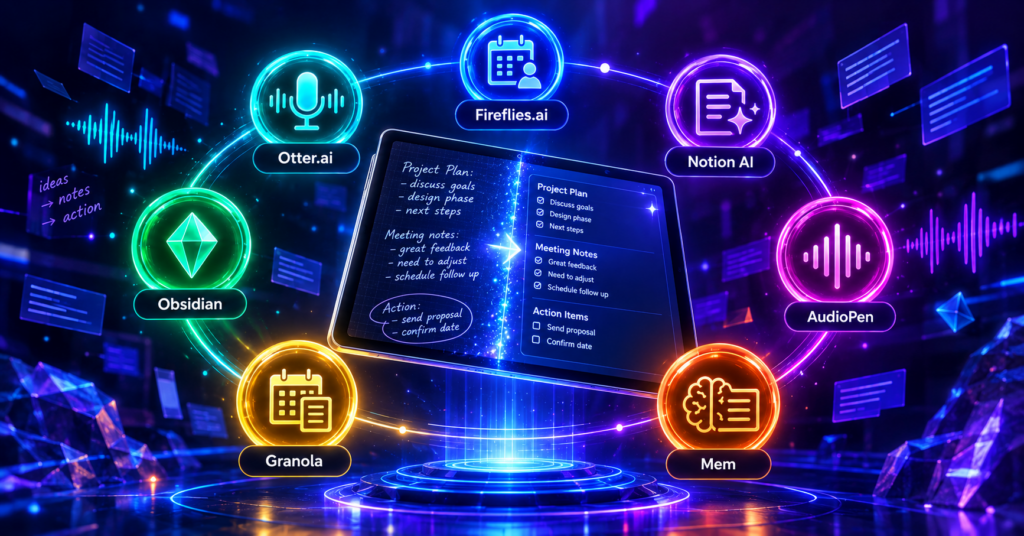
This year’s lineup includes Otter.ai, which offers 300 free transcription minutes per month. Meanwhile, for unlimited transcription, Fireflies.ai is the better pick, though its AI summaries are capped. Students and casual users, however, may prefer AudioPen since it is completely free and requires no sign-up. In addition, Notion AI starts at $10 per month and integrates directly into your workspace. Still, keep in mind that Mem and Granola have no free tier.
Introduction
There is an AI note-taking app that is completely free. There is also one that records, transcribes, and summarizes your meetings automatically. However, this year the options for note-taking apps are more powerful and more affordable than ever.
The problem is, most people are still typing notes manually or relying on basic note apps. However, AI-powered tools have changed how we capture information forever.
For that reason, here are 7 of the best AI note-taking apps this year. I have ranked them from the most established to the most underrated. In addition, each tool is covered with its strengths and weaknesses, so you can pick what fits your needs.
1. Otter.ai Offers the Best Free Transcription
First of all, Otter.ai remains one of the most popular AI note-taking tools. In fact, it records meetings, transcribes speech in real time, and generates summaries with action items. The free tier gives you 300 transcription minutes per month, which is generous for casual users.
Key Features: Real-time transcription, AI meeting summaries, action item extraction, speaker identification, and integration with Zoom, Google Meet, and Microsoft Teams.
Pros: Most generous free tier for transcription, accurate speaker identification, works with all major video call platforms, and supports live captions.
Cons: Free tier limited to 300 minutes per month, English-only transcription on the free plan, and AI summaries are basic compared to paid competitors.
Link and Check Subscription Plans: otter.ai
2. Fireflies.ai Delivers Unlimited Free Transcription
Meanwhile, Fireflies.ai offers one of the most generous free tiers in the market. It provides unlimited transcription, although AI summaries are capped. Additionally, the tool joins your calendar automatically and records meetings without manual setup, which saves a lot of time.
Key Features: Unlimited transcription, AI meeting summaries, action item tracking, calendar integration, and support for Zoom, Google Meet, and Teams.
Pros: Unlimited free transcription, automatic meeting joining, works across multiple platforms, and includes a mobile app.
Cons: AI summaries limited on the free tier, no offline recording, and interface can feel cluttered for new users.
Link and Check Subscription Plans: fireflies.ai
3. Notion AI Integrates Into Your Workspace
On the other hand, Notion AI is not a standalone note-taking app. It integrates directly into Notion, allowing you to summarize, rewrite, and expand notes inside your existing workspace. It also supports AI-powered database queries and custom agents, making it a strong option for teams already on the platform.
Key Features: In-workspace AI assistant, note summarization, text rewriting, database queries, and custom AI agents.
Pros: Seamless integration with Notion, powerful for teams already using the platform, supports custom agents, and keeps all notes in one place.
Cons: Requires a Notion subscription to be useful, no standalone recording feature, and pricing adds up for teams.
Link and Check Subscription Plans: notion.so
4. AudioPen Is Completely Free
Interestingly, AudioPen is a completely free AI note-taking app. You speak into it, and it transforms your rambling voice notes into clean, structured text. Moreover, no sign-up is required for basic use, which makes it one of the easiest tools to try.
Key Features: Voice-to-text transformation, AI rewriting for clarity, no sign-up needed, and works directly in the browser.
Pros: Completely free, no sign-up required, excellent for quick voice notes, and produces clean structured text.
Cons: No meeting recording, no transcription of long files, and limited advanced features compared to paid tools.
Link and Check Subscription Plans: audiopen.ai
5. Mem Provides an AI-First Note Experience
In contrast, Mem is built from the ground up as an AI-first note-taking app. It captures notes automatically, organizes them with AI, and surfaces relevant information when you need it. As a result, it feels less like a folder system and more like a personal AI assistant, which is exactly what heavy note-takers want.
Key Features: AI-powered note organization, automatic tagging, smart search, and contextual recommendations.
Pros: Truly AI-first design, excellent for knowledge workers, smart search across all notes, and reduces manual organization.
Cons: No free tier, higher price point, and requires a shift in how you take notes.
Link and Check Subscription Plans: mem.ai
6. Granola Excels at Meeting Notes
What is more, Granola is designed specifically for meeting notes. It listens to your meetings, combines your typed notes with AI-generated summaries, and produces a clean record without needing a bot to join the call. It works quietly in the background, which many professionals appreciate.
Key Features: Meeting note enhancement, AI summaries, no bot joining calls, and clean output formatting.
Pros: No meeting bot required, blends typed notes with AI output, excellent formatting, and ideal for professionals.
Cons: No free tier, macOS-first (limited platform support), and not suitable for non-meeting note-taking.
Link and Check Subscription Plans: granola.ai
7. Obsidian Supports AI Note-Taking Locally
Still, Obsidian is not a dedicated AI tool, but its plugin ecosystem turns it into a powerful AI note-taking app. With community plugins, you can add AI summarization, smart search, and automatic linking between notes. All data stays local, which is a major advantage for privacy-focused users.
Key Features: Local-first note storage, AI plugins for summarization and search, automatic linking, and a large plugin ecosystem.
Pros: Complete data privacy, works offline, highly customizable, and free for personal use.
Cons: Requires technical setup for AI features, no built-in transcription, and the learning curve is steep for beginners.
Link and Check Subscription Plans: obsidian.md
Conclusion
The seven AI note-taking apps above cover a wide range of needs. Otter.ai and Fireflies.ai are the top picks for meeting transcription. Meanwhile, Notion AI is ideal for teams already using Notion. In addition, AudioPen is the best choice for quick voice notes, and it is completely free. Furthermore, Mem and Granola serve professionals who want a more polished AI-first experience. Finally, Obsidian suits users who prioritize privacy and customization.
Each has its strengths and weaknesses. No single tool is perfect for every need. What matters most is choosing according to your workflow, starting with the free tier, and upgrading only when you truly hit the limit.
Which one will you try first? Let me know in the comments.
Read also: 10 Best AI Tools for Creators and Productivity This Year
